


PAW Patrol Academy
3.5382.00 Reviews
App Specs
- Version
- 4.1
- Updated On
- License
- Free
- Downloads
- 10,000,000+
- Developer
- Play Piknik
- Categories
- Education
- Platform
- Android, iOS
Screenshots
 Analysis by AppCompare
I judge a preschool app less by how many activities it offers than by whether a child can make sense of one without an adult turning into a full-time guide. That is the question I kept in mind with PAW Patrol Academy: can the familiar rescue-team setting hold a young child’s attention while giving them a reason to think, choose, and try again? My impression is that its strongest appeal is the way it ties early learning to the pups and their missions, rather than presenting practice as a separate lesson.
A familiar world gives learning a clear purpose
This is an education app from Play Piknik, made for children from age two to five. Its central draw is the PAW Patrol setting: activities connect with the characters’ recognizable roles, so a simple task can feel like part of helping the team. For a preschooler who already enjoys the show, that context can make it easier to approach a new activity than an unfamiliar collection of puzzles.
That connection is useful, but it also shapes the experience. The app is most compelling for a child who knows the pups and wants to spend time in their world. A child who is not interested in PAW Patrol may get less from the character framing, even if the learning activities themselves sound appealing. I would treat the theme as the invitation, not assume it will suit every young learner.
What the activity-based approach feels like
The missions and games bring basic concepts such as counting, shapes, and problem-solving into play. In practice, that means a parent can introduce the app as a short activity to explore together, then give the child room to respond and make choices. The character-led prompts can help a preschooler understand why they are doing something: it is part of a rescue-themed task, not just an isolated exercise.
The interactive story mode adds another kind of involvement by letting children choose paths through an adventure. That choice can be a good opportunity to ask, “What do you think will happen if we pick this?” and let the child explain their reasoning. I would not use it as a substitute for reading or conversation, but it can give a shared play session a natural starting point for talking about decisions and outcomes.
One practical tip is to keep the first session short and watch what the child returns to, rather than trying to sample everything at once. A young child may be drawn to a favorite character or activity before being ready to explore other parts. Following that interest makes it easier to see whether the app is a good fit, and it avoids turning a playful screen break into a lesson the child did not ask for.
How it fits into a young child’s day
I find this kind of app works best when it has a clear place in the day rather than being offered whenever a child is bored. A short, shared session gives a preschooler room to choose and respond while letting me notice when they are ready to move on. That routine also makes it easier to keep screen play alongside the hands-on activities that come next.
Worth Reading Before You Choose

EA SPORTS FC Mobile 26 Is a Bigger Football Game, but It Takes Time

Flipboard Shows What News Apps Must Do Beyond the Feed

Switching to Android Auto Means Rethinking Your Driving Routine

Google Calendar Makes a Crowded Week Easier to Manage

Ludo King Makes the Most of the Minutes Between Plans

Baby Panda World Brings Quick Play to Modern Phones, but Its Game Library Feels Busy
A realistic use case: a brief, shared break
I can see this working well during a quiet stretch at home when a caregiver needs a contained activity but still wants to stay involved. For example, after lunch, an adult could sit beside a preschooler, let them choose a mission, and use the activity as a prompt for counting objects or naming shapes together. The adult does not need to take over; asking the child to explain a choice or describe what they see can turn screen time into a little back-and-forth.
That shared approach matters because an app cannot tell a parent whether a child understands an idea or is simply tapping through. If a child hesitates, I would pause and talk through the task rather than rushing to complete it for them. If they are confidently exploring, I would let them lead. The most useful result may be the conversation around a mission, not just reaching its end.
Where it differs from other preschool options
Compared with a general early-learning app, this one has a narrower, character-based appeal. That focus is a strength for a young PAW Patrol fan: familiar faces can make the first tap feel inviting and give activities a shared theme. A broader collection of preschool games may be a better choice for families who want lessons across a wider range of subjects or who prefer not to center screen time on one licensed world.
It also differs from a standard video episode. Watching a show is more passive, while missions and choices ask a child to interact. Still, parents looking for a calm, linear story to watch together may prefer an episode, and those wanting open-ended drawing, building, or pretend play may be better served by an activity that leaves more room for invention. I see this app as a guided, character-led option rather than a replacement for those alternatives.
Practical considerations for parents
The app is free to download, with optional in-app purchases ranging from $4.99 to $79.99 per item. I would check the purchase controls on the device before handing it to a child, then make clear whether the session is for exploring what is available or simply replaying a favorite activity. That small bit of preparation can prevent an enthusiastic tap from becoming an unexpected spending decision.
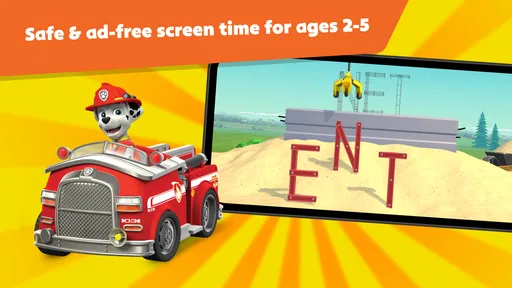
It is rated for Everyone, and the store describes it as ad-free. Those points may reassure caregivers choosing a screen activity for a preschooler, but they do not remove the value of supervising play, especially when a child is still learning how to navigate apps. The app has a 3.5 average from around 9,300 ratings, alongside roughly 350 written reviews, so I would use that mixed reception as a reason to try it with the child rather than assume every family will enjoy it equally.
It has reached over 10 million installs, and its current version is 3.7. It was released on September 27, 2023, and requires Android 9 or later. The product is free to start, but families should still think about how optional purchases fit their budget and household rules before making it part of a child’s routine.
Who is likely to get the most from it
I would put it on the shortlist for caregivers of children in the stated two-to-five age range who already enjoy the PAW Patrol characters and respond well to short, guided activities. It may also suit a parent who wants a shared prompt for counting, shapes, or talking through a choice, rather than expecting the app to teach independently. Play Piknik’s approach here is strongest when the adult treats the screen as one part of play, not the whole activity.
I would skip it if the child has little interest in the show, if you want an app built around a broad curriculum rather than a single character world, or if your main goal is open-ended creative play. It is also not the choice I would make when I want a completely hands-off activity: preschoolers can benefit from an adult nearby to help them slow down, notice what a task is asking, and put their decisions into words.
What I would keep in mind before downloading
One question parents often have is whether this can replace a learning routine. I would not rely on it for that. It can offer playful practice with early concepts, but it works best as a supplement to talking, reading, counting real objects, and everyday play. If a child enjoys a counting activity, for instance, you can carry the idea into snack time by counting pieces together; that simple follow-through gives the screen activity a connection to the world around them.
Another useful question is whether a child needs to know the series first. Familiarity will likely make the characters and mission framing more immediately appealing, but I would let the child’s reaction settle that. Try an activity together and notice whether they are curious about what to do, or only interested in the character artwork. If the theme does not hold their attention, a less branded preschool app may be a better match.
For a family deciding between this and a video, the key difference is participation. The missions invite interaction, while an episode asks the child mainly to watch. For a family deciding between this and a broad learning collection, the trade-off runs the other way: the PAW Patrol identity gives the activities a cohesive hook, but it is not as neutral a choice for children who want variety across characters and topics. I would choose based on what the child already enjoys and what kind of screen time the adult wants to share.
First impressions of the rescue-team setting
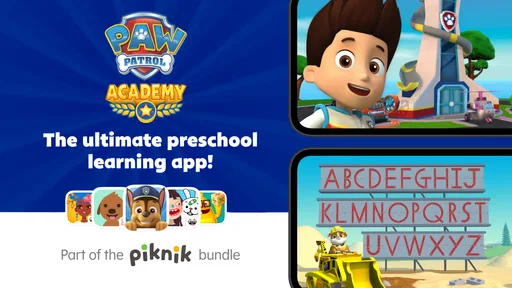
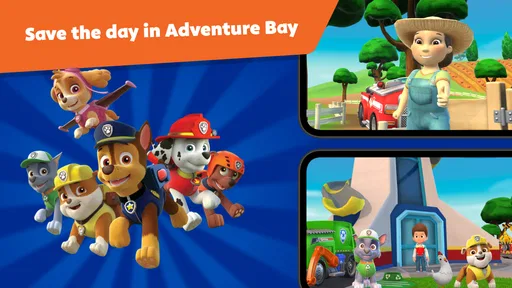
As soon as I opened the app, I was greeted with vibrant colors and familiar faces from the beloved series. The PAW Patrol Academy app captures the essence of the show perfectly. If you or your little ones are fans of Chase, Marshall, Skye, and the gang, you'll feel right at home here.
The app's layout is super user-friendly, which is a major win in my book. It’s designed with kids in mind, so everything is intuitive and easy to navigate. I loved how the app encourages kids to explore different missions and activities, promoting both learning and fun.
Gameplay and Activities
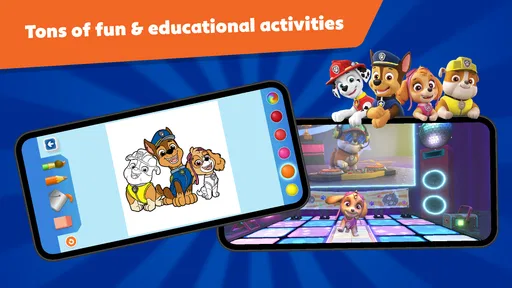
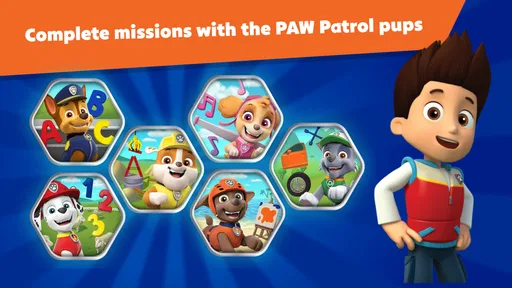
Now, let’s talk about the activities. The app offers a variety of educational games and missions that are both engaging and informative. Each activity is themed around the unique skills of the PAW Patrol pups, like Skye’s flying missions or Rubble’s construction challenges. It’s a great way for kids to learn problem-solving skills and teamwork.
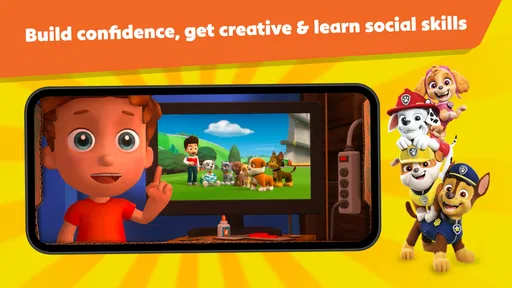
One of my favorite features is the interactive story mode. It feels like being part of a PAW Patrol episode! Kids can choose different paths, making each playthrough a new adventure. Plus, the app’s voice acting brings the characters to life, adding an extra layer of immersion.
Graphics and Sound
The graphics in the app are top-notch, with bright, cheerful visuals that capture the essence of the TV show. Each character is wonderfully animated, and the attention to detail is impressive. It’s like watching a mini-episode of PAW Patrol!
The sound design is also a standout feature. The catchy theme song and voiceovers are just like the show, which adds to the overall experience. Trust me, you’ll find yourself humming along in no time.
Learning and Development
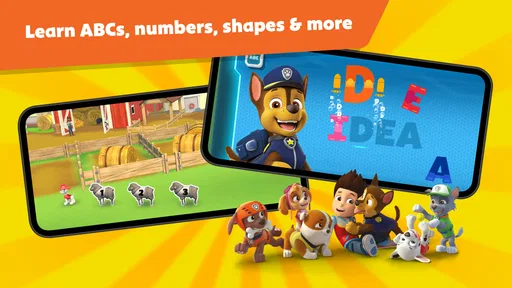
What I really appreciate about PAW Patrol Academy is its educational aspect. The app cleverly integrates learning into the gameplay, covering basics like counting, shapes, and problem-solving. Each mission is designed to challenge young minds while keeping them engaged.
Parents will love the educational benefits, and kids will love the fun of helping their favorite pups save the day. It’s a win-win!
Final Thoughts
All in all, PAW Patrol Academy is a fantastic app for young fans of the series. It combines fun, education, and adventure in a way that’s both entertaining and beneficial. Whether your little one is a budding pilot like Skye or a tech whiz like Rocky, there’s something here for everyone.
If you’re looking for an app that will keep your kids entertained while providing educational value, I highly recommend giving this one a try. And hey, who doesn’t love a good rescue mission with the PAW Patrol pups? Until next time, happy adventuring!
Pros
- Engaging educational content for kids.
- Colorful graphics capture children's attention.
- Easy-to-use interface for young users.
- Variety of mini-games to keep kids entertained.
- Encourages problem-solving and teamwork.
Cons
- Requires constant internet connection.
- In-app purchases can add up quickly.
- Some levels may be too challenging for younger kids.
- Content may become repetitive over time.
- Limited parental control settings.
FAQs for PAW Patrol Academy
What age group is PAW Patrol Academy suitable for?
PAW Patrol Academy is designed primarily for children aged 3 to 7. It features engaging activities that promote learning in a fun way. The app's content is tailored to be age-appropriate, allowing young users to develop skills such as problem-solving, creativity, and teamwork, all while interacting with their favorite PAW Patrol characters.
Is PAW Patrol Academy safe for children to use?
Yes, PAW Patrol Academy is designed with child safety in mind. The app includes parental controls and does not contain any third-party advertisements. It ensures a safe and secure environment for children to explore and learn without exposure to inappropriate content or potential online threats.
What educational benefits does PAW Patrol Academy offer?
PAW Patrol Academy offers a variety of educational benefits, focusing on developing cognitive and motor skills. The app includes puzzles, color matching, and memory games that help enhance critical thinking, hand-eye coordination, and memory retention. It encourages learning through interactive play, making education enjoyable for young children.
Is an internet connection required to use PAW Patrol Academy?
While some features of PAW Patrol Academy may require an internet connection, most of the content is accessible offline once downloaded. This allows children to enjoy the app even when an internet connection is not available, making it convenient for travel or areas with limited connectivity.
Does PAW Patrol Academy offer in-app purchases?
PAW Patrol Academy may offer in-app purchases to access additional content or features. Parents can manage these purchases through their device settings to prevent unauthorized transactions. It's important to review the app's purchasing options to understand any potential costs involved before downloading.


